 Veld Monitor Controls
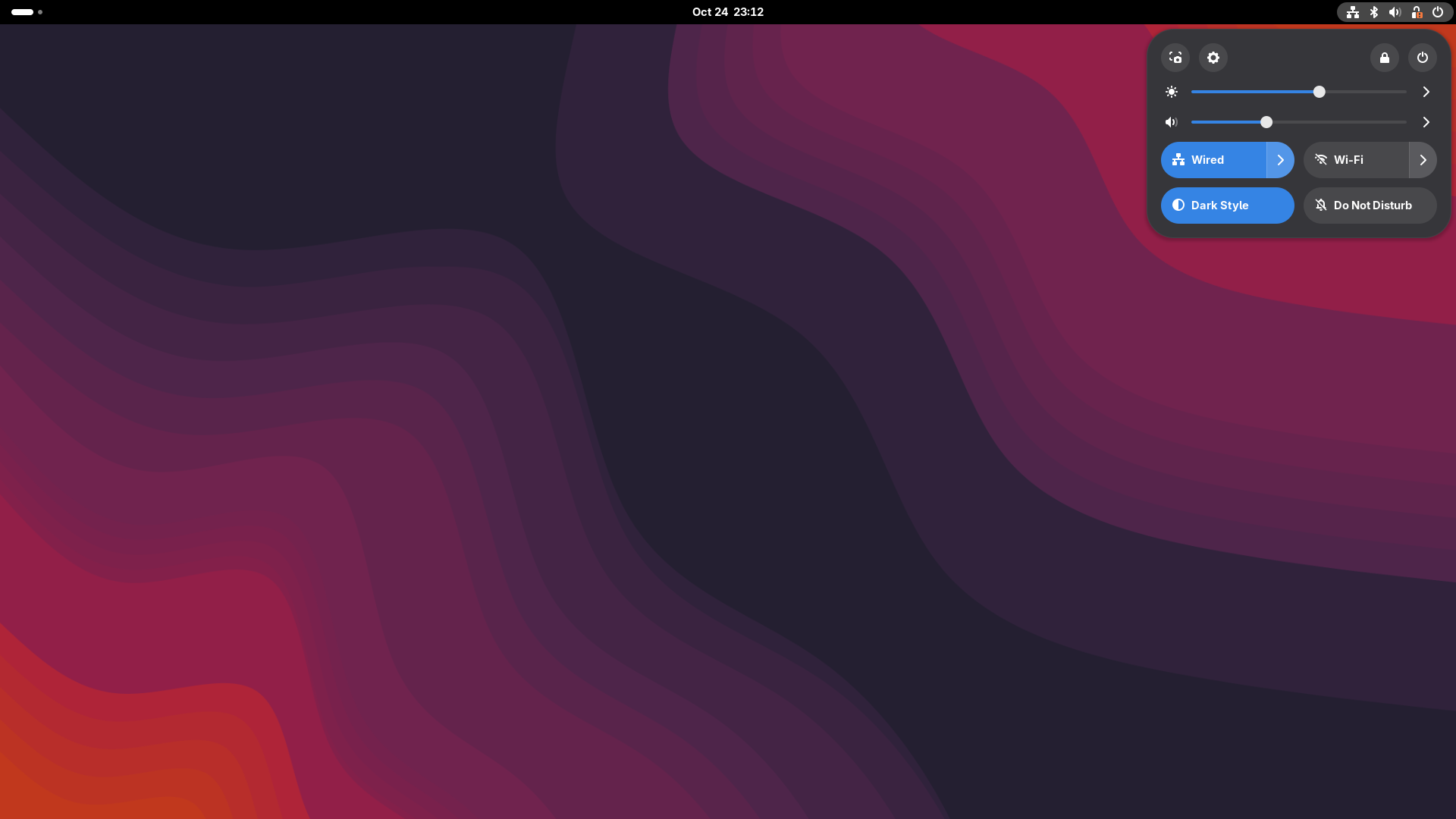
Every monitor, right in Quick Settings.
Real DDC/CI brightness, contrast, input, color and audio controls for your external monitors — without another panel icon or dimming overlay.
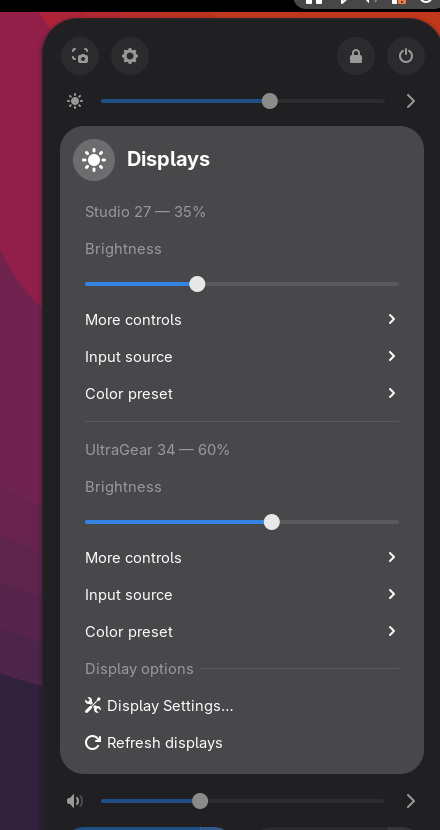
Native where it matters
Built for the way GNOME Quick Settings works, not bolted on as a separate app.
Master brightness
A single slider above volume that adjusts all external monitors together.
Per-monitor control
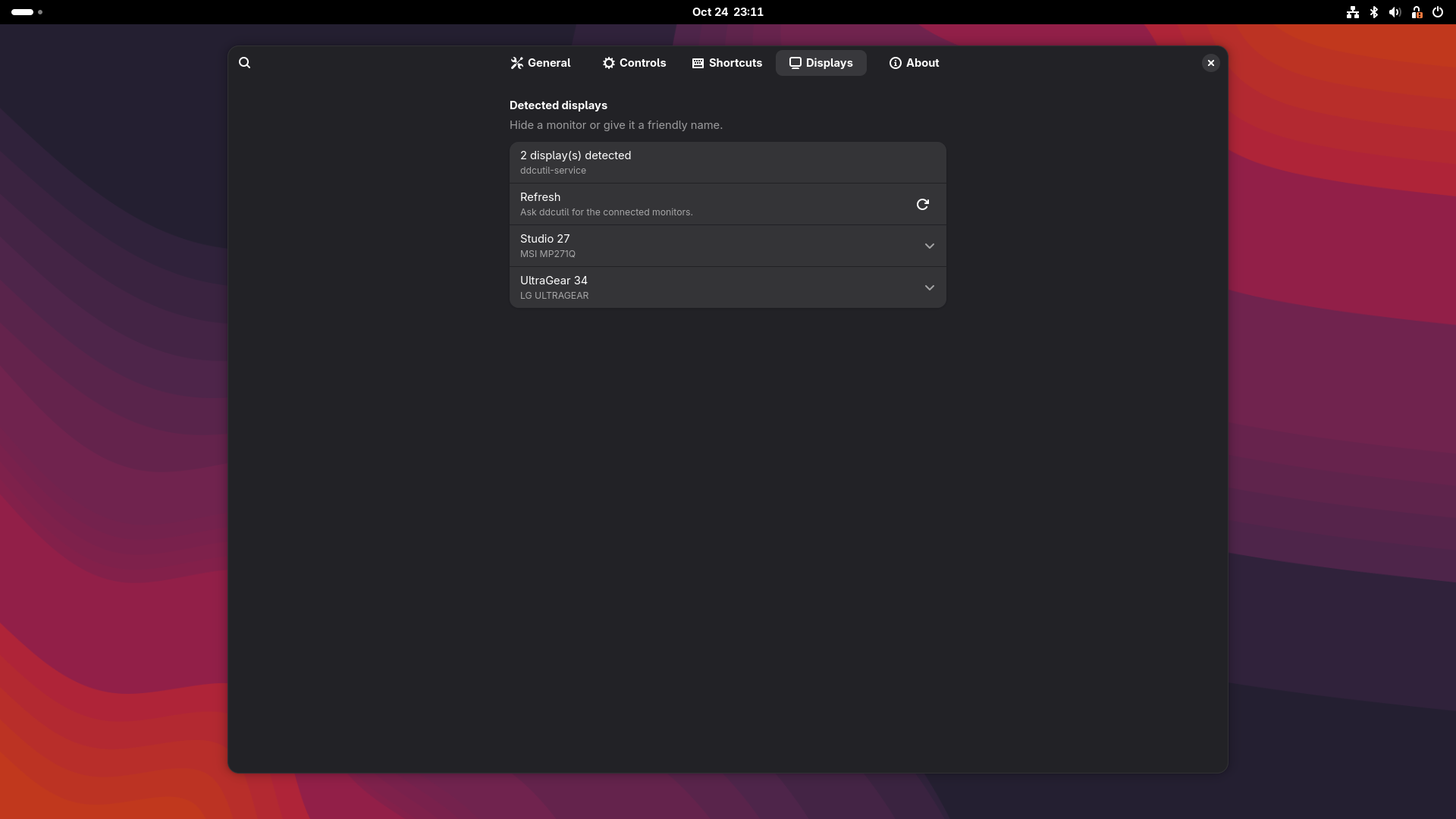
Each display gets its own brightness slider, current percentage and controls.
More than brightness
Contrast, monitor volume and mute, input source, color preset and optional RGB gain.
Fast backend
Uses ddcutil-service when available and automatically falls back to the ddcutil CLI.
Yours to arrange
Friendly display names, per-monitor visibility, shortcuts and OSD feedback.
Local only
No telemetry, no analytics, no account, no network access. Just your monitors.
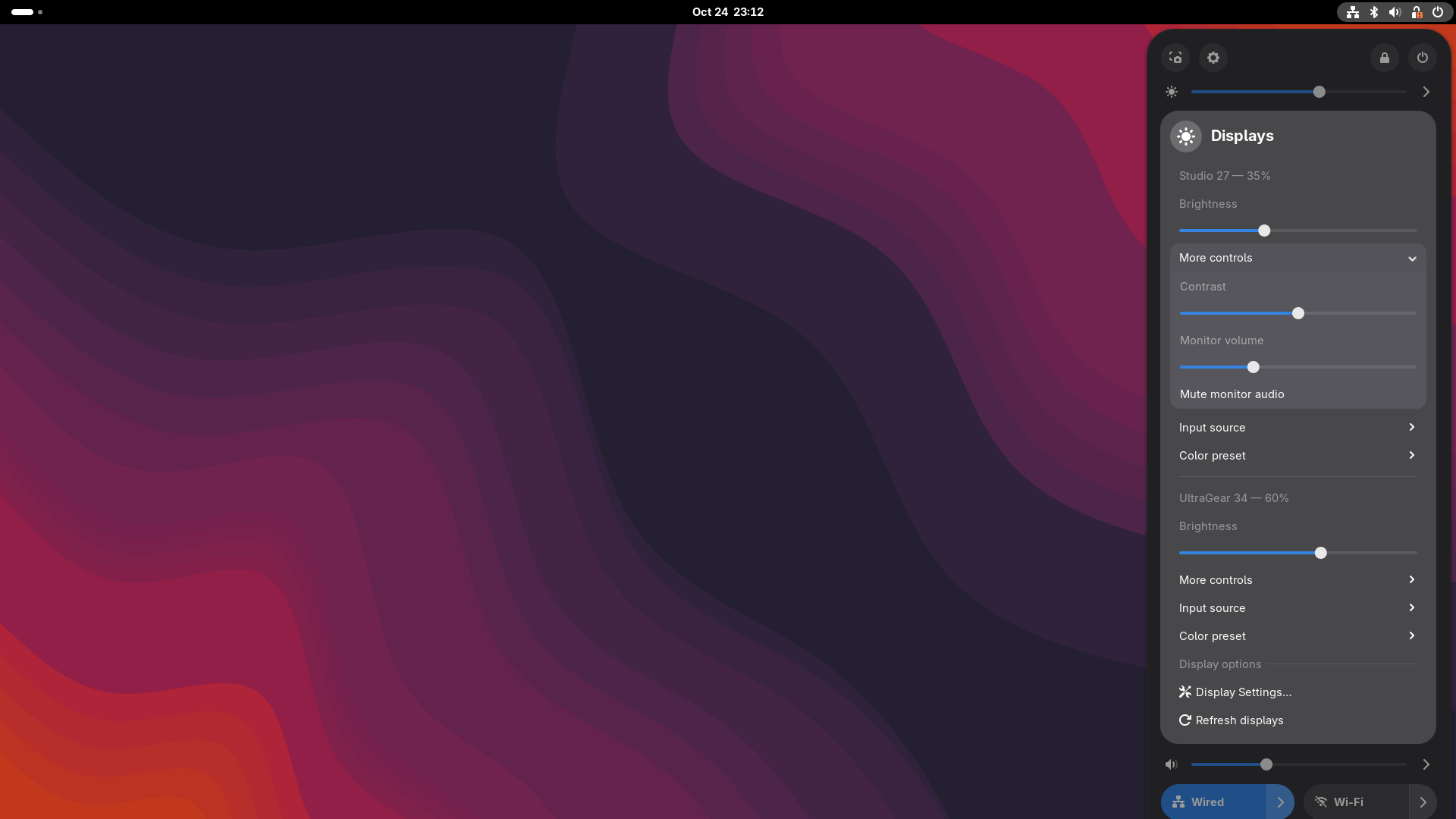
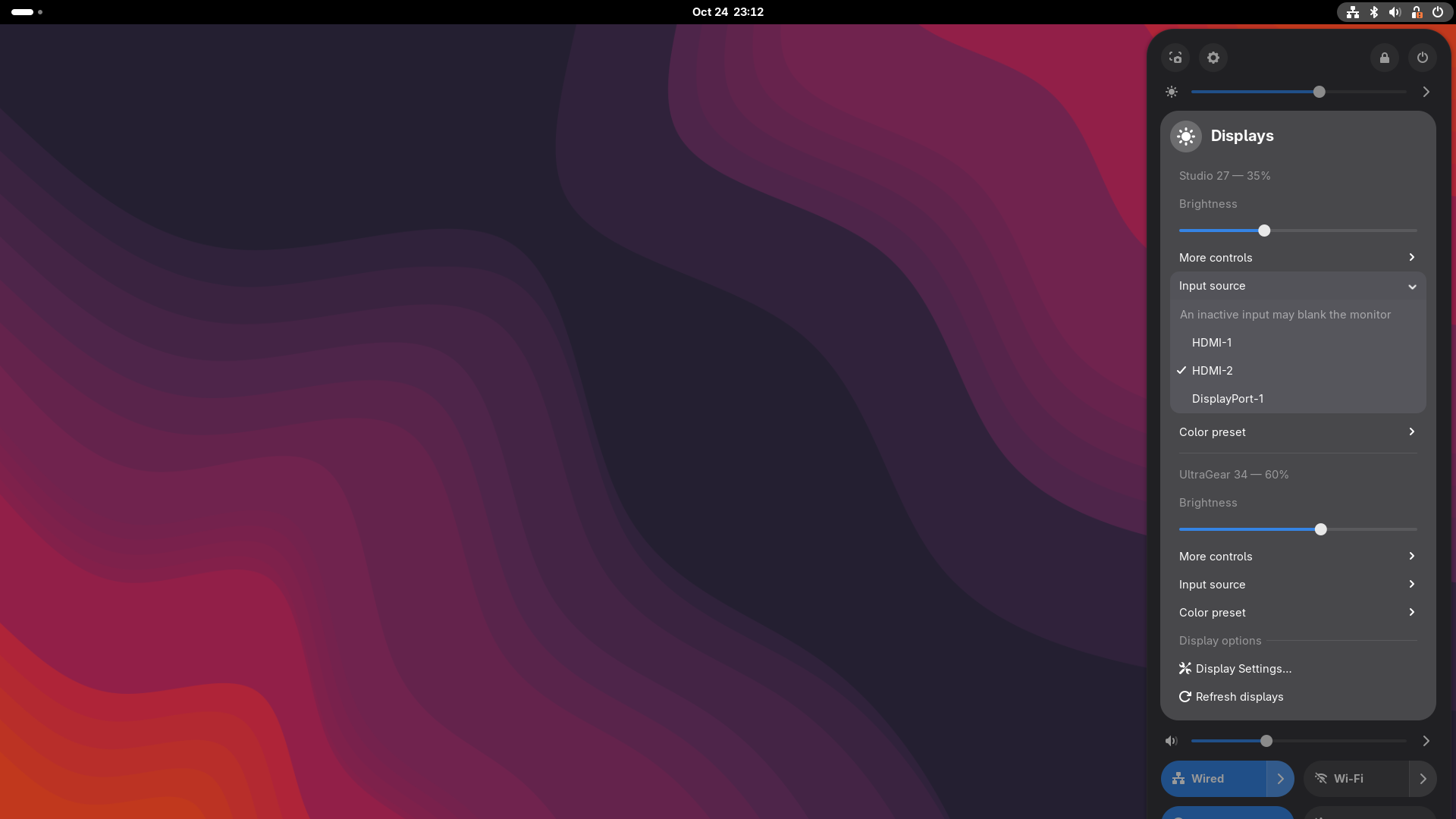
Designed to stay out of the way
Per-monitor controls are grouped under each display. Global actions have their own section.
Up and running in a minute
You need a DDC/CI-capable monitor and ddcutil. The extension never runs privileged commands.
Install ddcutil
sudo pacman -S ddcutil on Arch, sudo dnf install ddcutil on Fedora, or sudo apt install ddcutil on Debian/Ubuntu.
Check permissions
Make sure your user can access /dev/i2c-*. On many systems, add yourself to the i2c group and log back in.
Verify
Run ddcutil detect. If your monitors appear, install the extension and open Quick Settings.
ddcutil detect
# optional, for much faster slider response:
# install ddcutil-service from https://github.com/digitaltrails/ddcutil-service
DDC writes can take time. For the smoothest experience install ddcutil-service; the CLI fallback works everywhere ddcutil does, but starts a process per change.
Compatibility
- GNOME Shell 49, 50 and 51
- External monitors with DDC/CI enabled
- ddcutil installed and working for your user
- Optional: ddcutil-service for faster writes
- Native GNOME Quick Settings integration
Good to know
- Minimum brightness defaults to 1% so a monitor cannot go fully black
- Input switching can blank a monitor when the target input has no signal
- Some KVM switches and USB-C hubs do not pass DDC/CI
- No telemetry, no analytics, no account
Questions
Why is my monitor not detected?
Run ddcutil detect as your normal user. Enable DDC/CI in the monitor menu, check your i2c permissions, and try another cable or port.
Does this work without ddcutil-service?
Yes. The extension detects the service and falls back to the ddcutil command automatically. The service is optional but noticeably faster.
Can I use it with a laptop display?
This extension is for external monitors over DDC/CI. GNOME's built-in brightness control remains the right choice for internal laptop panels.
What happens if a monitor gets stuck at zero brightness?
The default minimum is 1%. If a monitor does go dark, use its physical buttons or run ddcutil setvcp 10 50 --bus <bus>.
Where are my settings stored?
In GSettings under org.gnome.shell.extensions.veld-monitor-controls. Nothing leaves your computer.